
Latest Version
CoolLeGet Inc
Media
Windows
Free
9mz4b3ms7x6c
Report a Problem
More About Audio Recorder & Voice Recorder Pro
A Practical Approach to Desktop Audio Capture
Finding a reliable, no-nonsense tool for capturing sound on Windows can be a challenge. Audio Recorder & Voice Recorder Pro by CoolLeGet Inc addresses this by stripping away unnecessary complexity, offering users a straightforward platform to record high-quality audio directly from their system or external microphone. Whether you need to save a quick voice memo, document a meeting, or capture streaming audio, this lightweight software provides the essential tools to get the job done without a steep learning curve.
Key Features for Daily Productivity
The utility of Audio Recorder & Voice Recorder Pro lies in its practical feature set, designed to streamline your daily recording workflow:
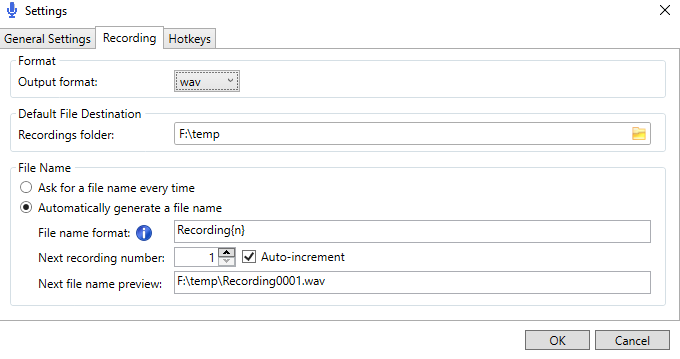
- Versatile Output Formats: Save your audio files directly to standard .wav or compressed .mp3 formats, ensuring compatibility with virtually any media player or editing software.
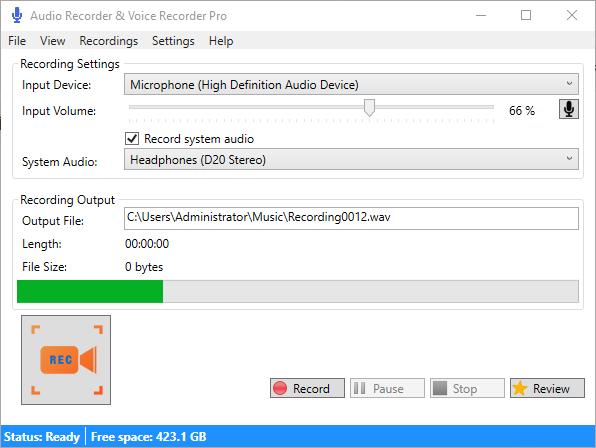
- Flexible File Destination Management: You can set a permanent default folder for all your recordings or configure the application to prompt you for a custom filename and location every single time you press stop.
- Global Hotkey Support: Control your recording sessions seamlessly without needing to keep the application window active, thanks to customizable global hotkeys.
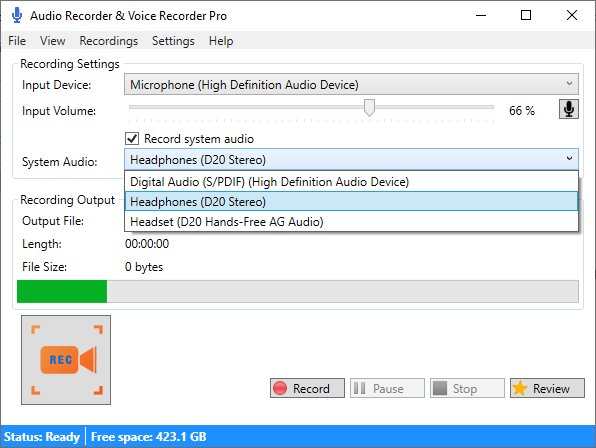
- Input Device Selection: Easily view and select from a list of available input devices connected to your Windows machine, making it simple to switch between an external headset and a built-in microphone.
- Volume Adjustment: Fine-tune your input volume levels directly within the application interface to prevent clipping and ensure optimal sound levels.
Who Is This Tool For?
This software is particularly well-suited for professionals who need a dependable tool for transcribing notes, students recording lectures, or content creators needing a quick way to capture voiceovers. Because it is modified from the open-source AudioSharp project, it maintains a highly efficient, system-friendly footprint that won't bog down your computer's performance during resource-intensive tasks.
Getting Started
If you are looking for an uncomplicated, highly functional recording utility for your PC, this application is a strong candidate. To explore its capabilities and integrate it into your workflow, head over to the official Microsoft Store page to learn more about the Audio Recorder & Voice Recorder Pro software.
Rate the App
User Reviews







Popular Apps








Editor's Choice